Introduction #
Classic Videos are a great way to create clean, engaging product videos using ready-made templates with simple customization options. These videos are slightly shorter than shorts and Long Videos clips, making them ideal for highlighting product features while keeping your content concise and visually appealing.
With Outfy’s Classic Video Creator, you can quickly turn your product images into professional-looking videos, customize elements like music, stickers, and backgrounds, and share them across your social media platforms to boost engagement.
Follow this guide to create and share your Classic Videos effortlessly:
Edit your Classic video #
When you open the Classic Videos section, you’ll first see a variety of auto-generated video templates created using your product images.
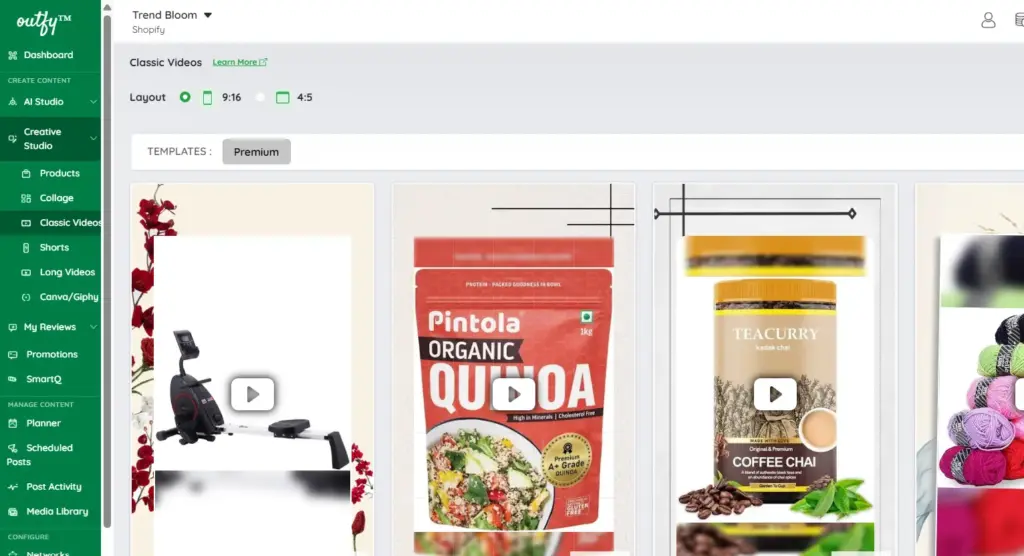
1. Select Layout Ratio
At the top of the screen, choose your preferred video format:
- 9:16 – Best for Reels, TikTok, and Shorts
- 4:5 – Ideal for Instagram feed posts
2. Select Product Images
Click “Select Product Images” to add or change the visuals used in your video.
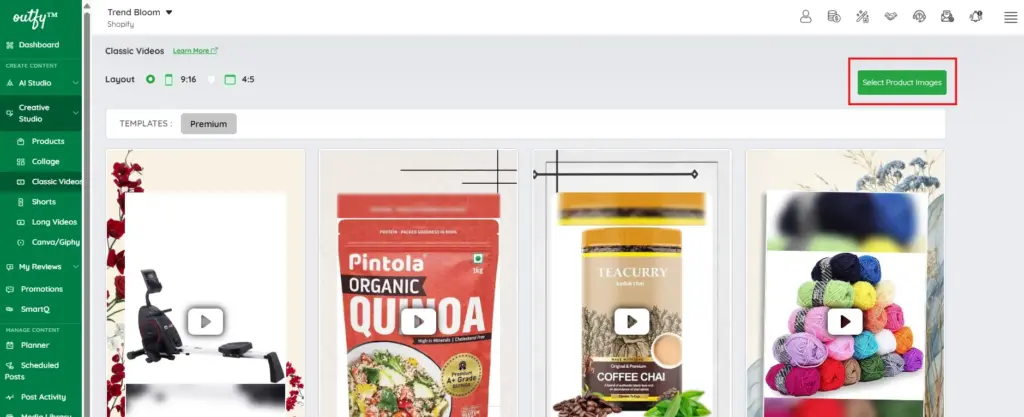
3. Choose a Template
Browse through the available templates and click on any template to preview it.
Each template includes two options:
- Share – Publish the video directly
- Edit – Open the video editor
Click Edit to enter the editing screen, where you can make basic customizations to your Classic Video.
Music #
Select from a wide range of music tracks to match the mood and style of your Classic Video. Explore various genres available from Epidemic Sound, all of which are copyright-free and safe to use.
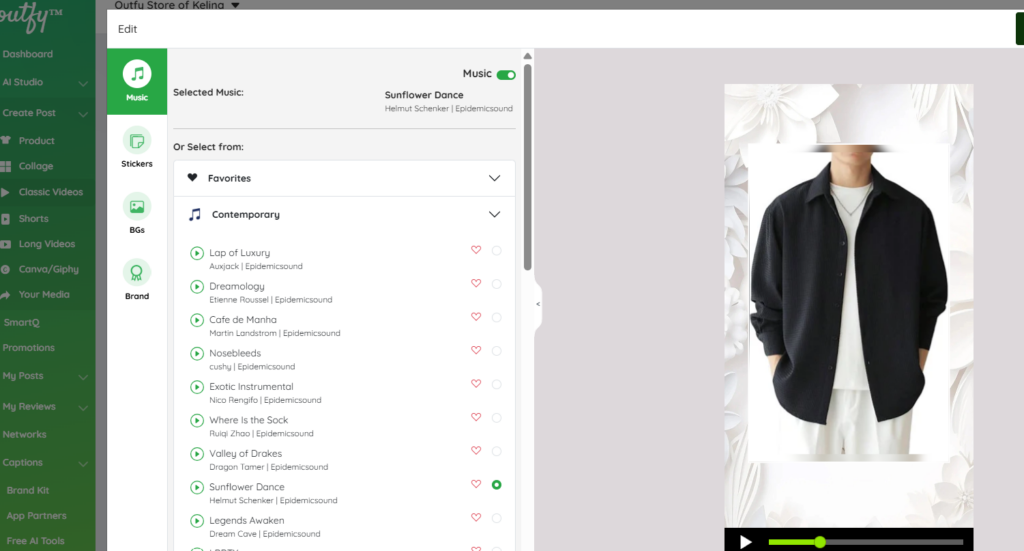
If you’re satisfied with the default track, you can keep it—no changes needed.
Add any preferred track to your Favorites for quick and easy access in future Classic Video projects.
Stickers #
Customize your Classic Videos with attractive promotional stickers such as “Buy Now,” “Big Sale,” “Best Offer,” and more. Choose stickers that best match your campaign or sales message.
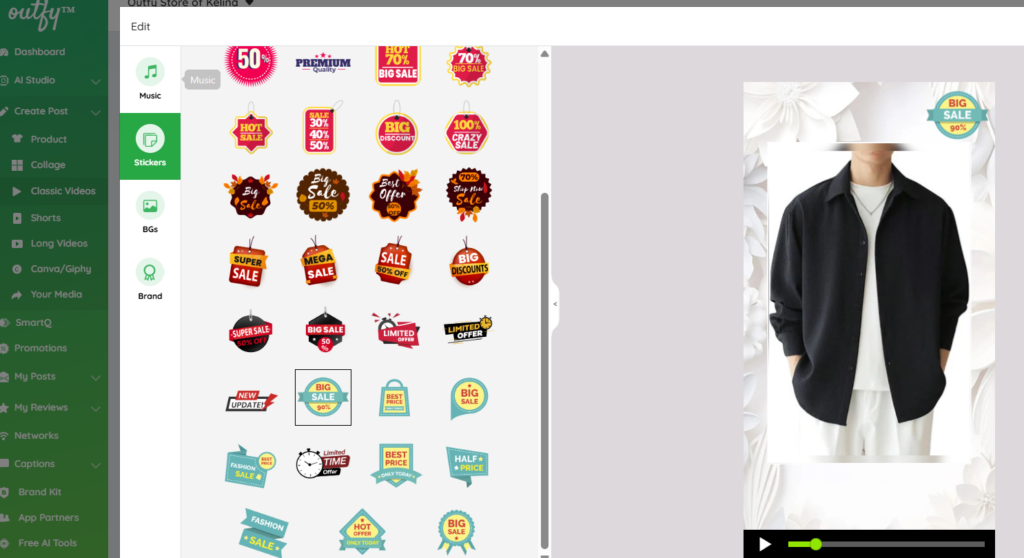
You can apply stickers directly while editing your Classic Video to enhance its visual appeal.
You can also upload your own custom stickers to better align with your brand style and promotions.
Backgrounds #
Choose the background style for your Classic Video to match your brand’s look and feel. Outfy offers a variety of background color themes that you can browse and filter to find the perfect fit for your video.
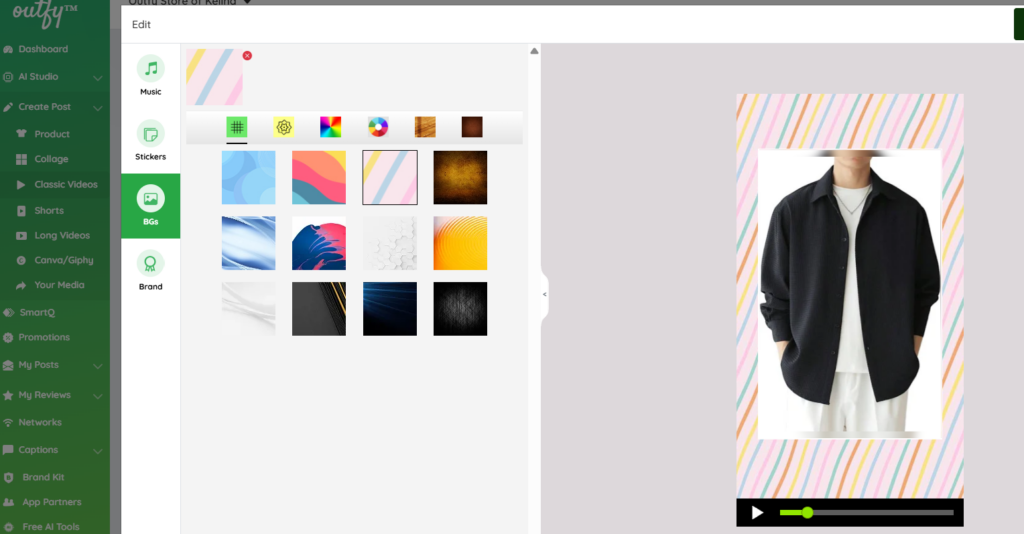
Select a background that complements your product visuals and enhances the overall appearance of your Classic Video.
Brand #
Choose whether you want to add your brand logo to your Classic Video to maintain a consistent and professional identity across your content.
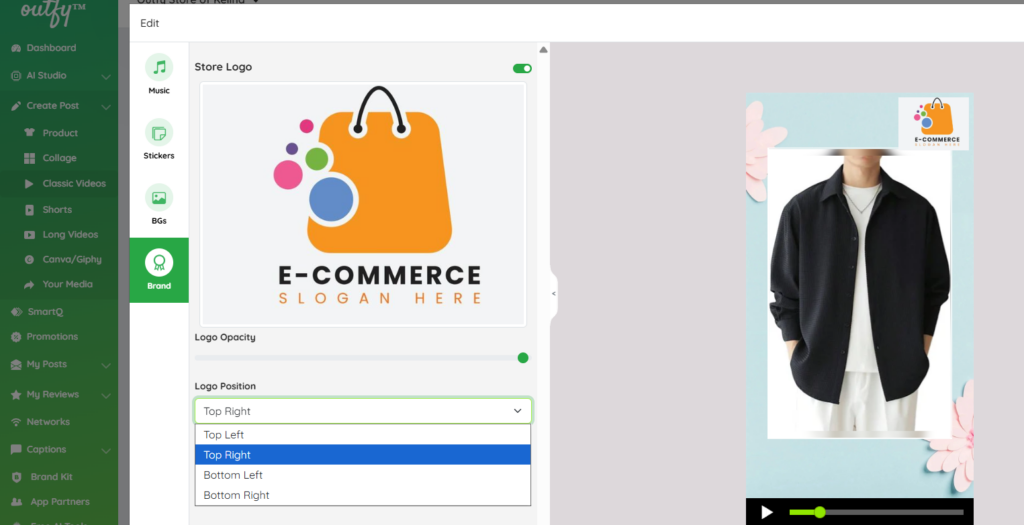
You can adjust the opacity of your logo to ensure it blends well with the video without overpowering the visuals. You can also position your logo based on your preference, with placement options available:
- Top left
- Top right
- Bottom left
- Bottom right
Share Your Classic Videos #
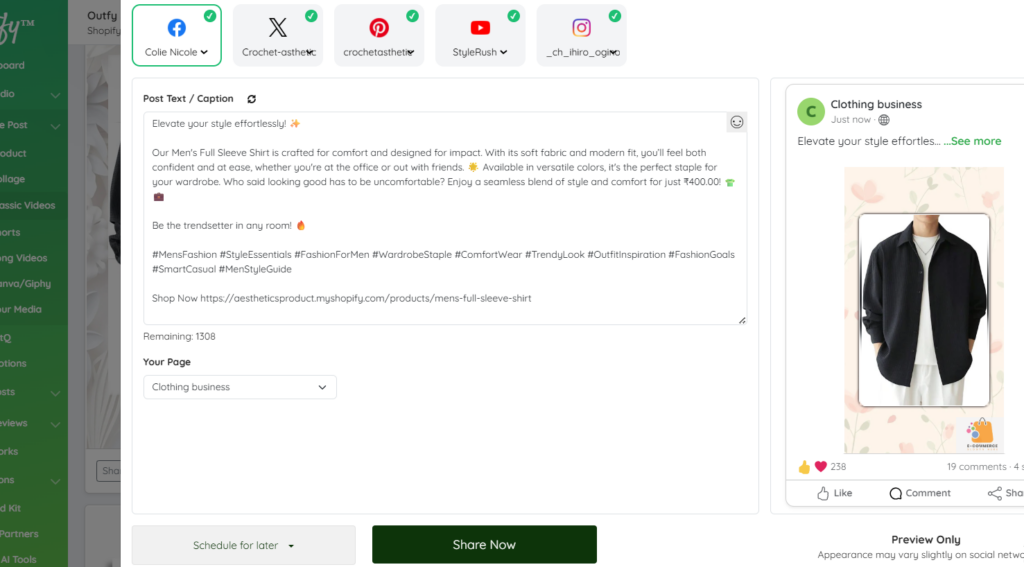
Once your classic video is ready, simply click Share Now to post it instantly to your connected social networks.
You can also choose to schedule it for later, so it gets published automatically at your preferred time.