The Brand Kit allows you to personalize your product videos and maintain consistent visual identity across all your Shopify content. Configure your logo, colors, fonts, and audio to match your brand style.
Note: Any changes you make here will apply only to newly generated videos.
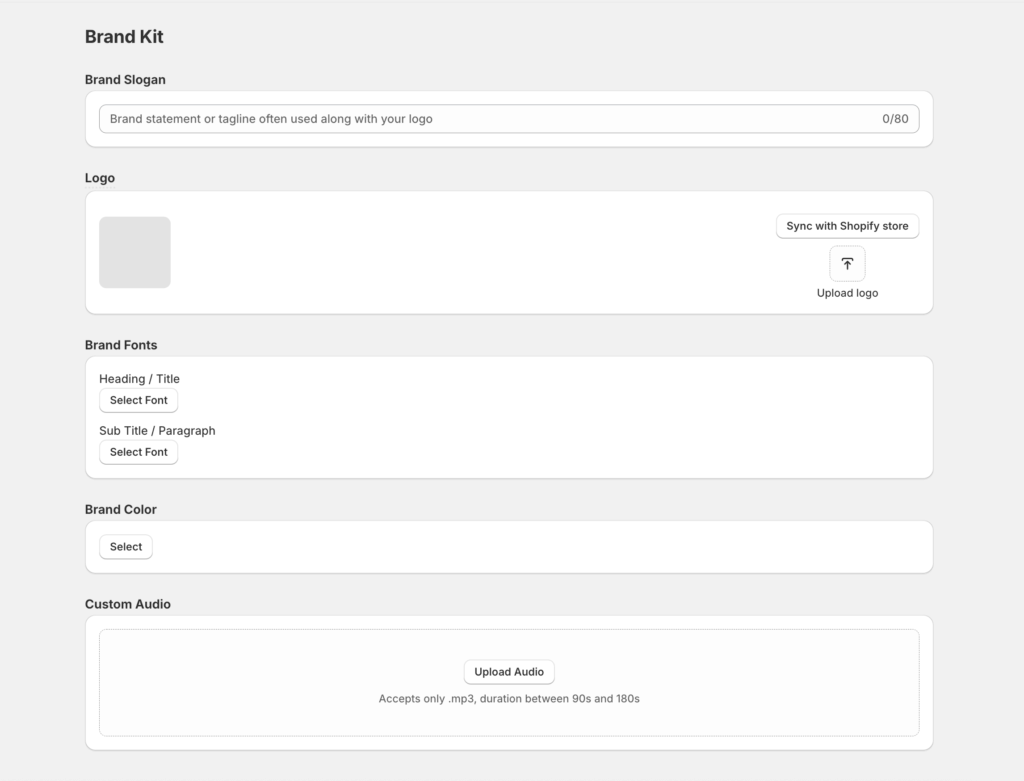
Brand Slogan #
Field: Brand Slogan
Description: Add your brand’s main statement or tagline. This is often displayed alongside your logo in videos.
Logo #
Field: Logo
Description: Upload or select your store logo. The uploaded logo will automatically appear in all new videos.
Tip: You can update or change your logo anytime through the Shopify Brand Assets page.
Brand Fonts #
Description: Choose the font style used for text and captions in your videos.
Tip: Select fonts that match your website and brand identity for a cohesive look.
Brand Color #
Description: Select your primary brand color to apply across titles, highlights, and visual accents in videos.
Tip: Use your store’s theme color for consistent branding across all visuals.
Custom Audio #
Field: Upload Custom Audio
Description: Add your own background music to personalize your product videos.
File Requirements:
- Format: .mp3 only
- Duration: Between 90 and 180 seconds.
Tip: Choose audio that complements your brand tone — upbeat for energetic products or calm for lifestyle-focused items.


