The new Collage Editor allows you to fully customize your product collages with layout options, images, text, buttons, icons, layers, and more.
Here’s how it works:
Edit Your Collage #
When you open the Collage section, you’ll first see automatically generated collage designs created from your product images.
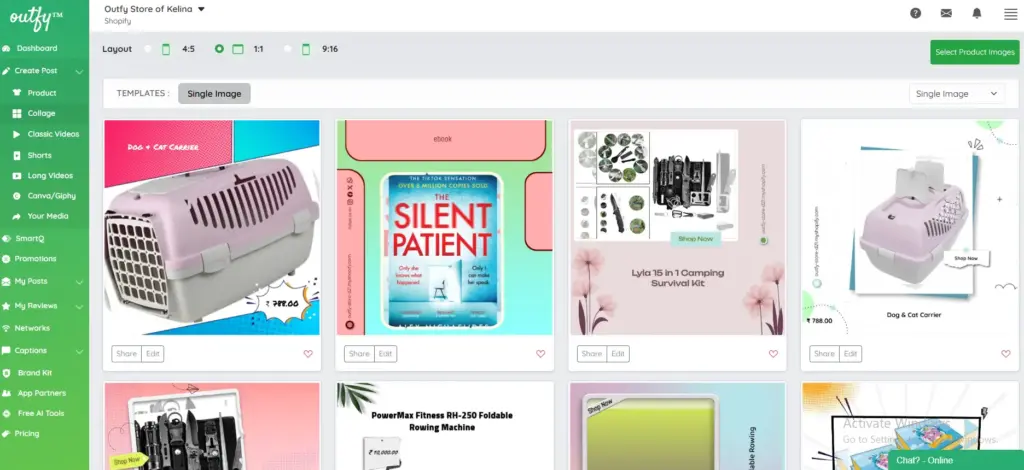
From here, select any collage you’d like to customize.
Under each collage, you’ll find two options: “Share and Edit”.
Click Edit to open the full collage editor.
This will take you to the editing screen where you can modify every element of the collage.
Design Panel #
The editor opens with the Design tab, where you can:
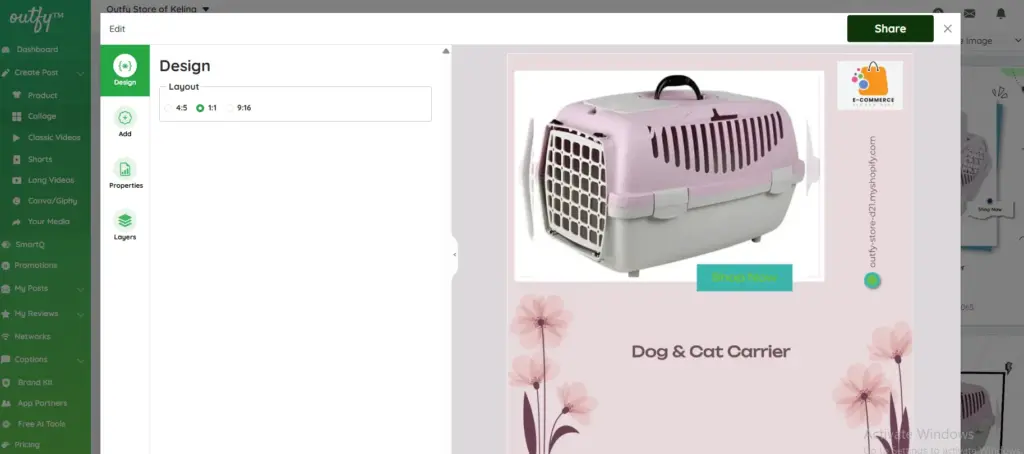
Choose Layout Ratio
- 4:5
- 1:1
- 9:16
Select the format depending on which platform you want to post (Instagram, Facebook, Pinterest, etc.).
Add Panel #
Under the Add tab, you can insert new elements into your collage:

Add Image
Upload or insert additional product or decorative images.
Add Multi-Line Text
Useful for descriptions, quotes, or product highlights.
Add Single Line Text
Use this for titles like “Sale”, “New Arrival”, or short captions.
Add Buttons
Add call-to-action buttons such as “Shop Now”.
Add Icons
Choose from icons like price tags, stars, arrows, and more to enhance your design.
Properties Panel #
When you click any element in the collage, the Properties tab lets you adjust:
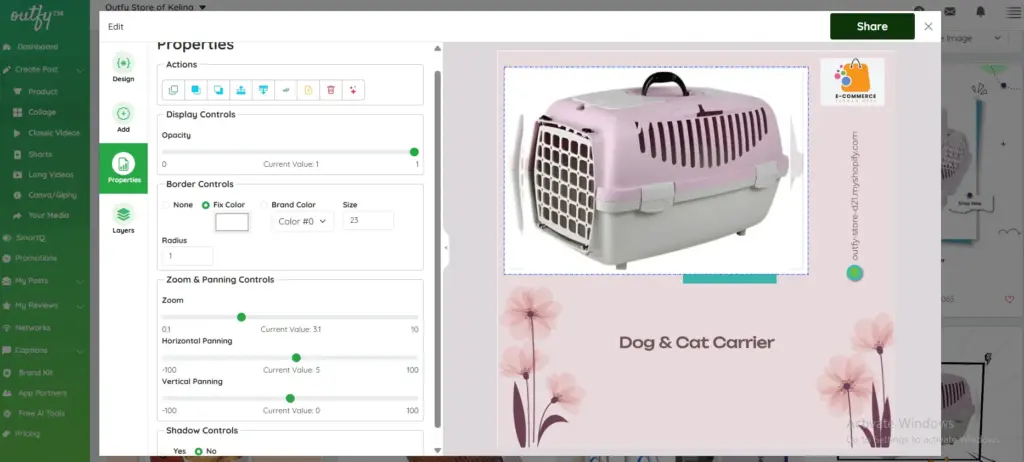
1. Actions
- Duplicate
- Bring forward / send backward
- Align left/right/center
- Lock/unlock elements
- Delete
2. Display Controls
- Adjust opacity
3. Border Controls
- Choose border color
- Border thickness
- Border radius
4. Zoom & Panning
Perfect for adjusting product image fit.
- Zoom in/out
- Horizontal panning
- Vertical panning
5. Shadow Controls
Add subtle shadows to make elements pop.
Layers Panel #
The Layers tab shows every component in your collage, such as:
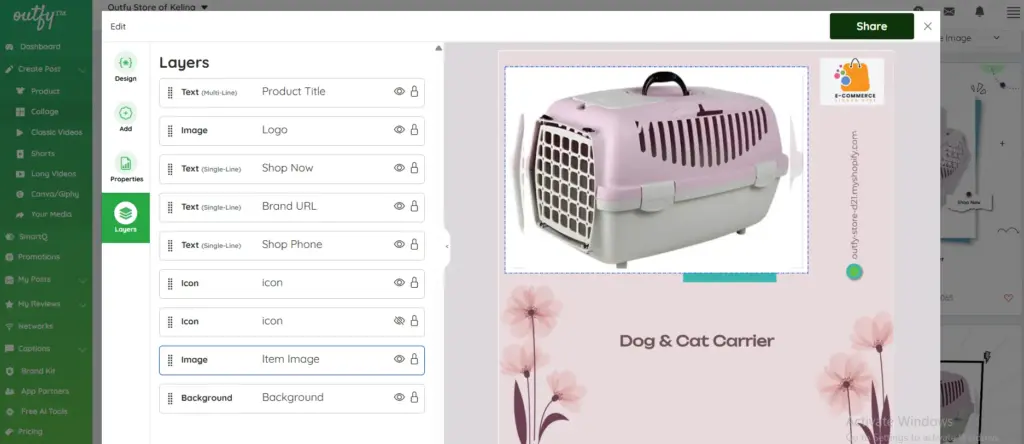
- Product Title
- Logo
- “Shop Now” button
- Brand URL
- Phone number
- Icons
- Product image
- Background
What You Can Do Here:
- Reorder layers
- Show or hide elements
- Lock elements to prevent accidental movement
- Select specific items easily without clicking on the canvas
This helps you manage complex designs quickly.
Share Your Collage #
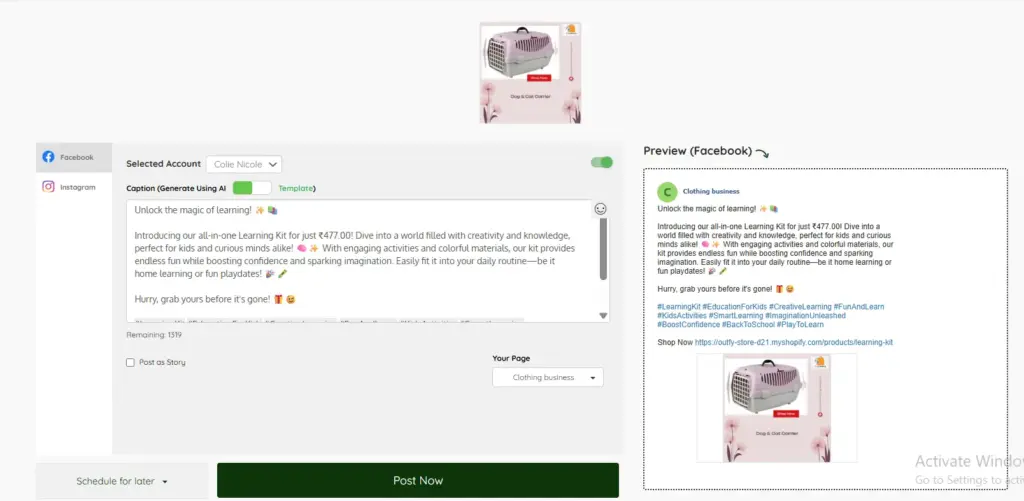
Once your collage is complete, simply click Share to publish it directly to your connected social networks.


